Best webcam angle for a natural, eye-level look
Even with good lighting, a clean background, and a solid webcam, you can still look slightly off on video. In most setups, it comes down to one thing: camera angle.
The best webcam angle is centered at eye level with little-to-no tilt. When that’s dialed in, your face looks more natural, your posture improves, and eye contact feels effortless instead of forced.
Most people miss this by a small margin. That small gap is enough to change how you come across.

Why webcam angle matters more than camera quality
A common assumption is that a better camera will fix how you look on video. After testing dozens of setups across laptops, external webcams, and multi-monitor desks, the pattern is consistent. Positioning changes perception more than resolution.
- A low camera tilted upward exaggerates the jawline
- A high camera tilted downward flattens facial features
- An off-center camera makes it look like your attention is somewhere else
There is also a behavioral factor. On a typical video call, your attention shifts between faces, content, and your own screen. If your webcam sits far from where you are looking, your eyes constantly drift away from the lens. Even slight shifts are noticeable.
This is why people often say they don’t look like themselves on video. It’s not the camera, it’s how you aim it.
What the best webcam angle actually looks like

A simple way to frame it: position your webcam where someone’s eyes would be if they were sitting directly across from you.
The 3 rules for the best webcam angle
- Eye-level positioning with your eyes sitting in the upper third of the frame
- Minimal tilt to mimic natural eye contact and avoid distortion
- Centered alignment with your camera directly in front of you, not off to the side
The most common webcam angle mistakes
Most setups aren’t drastically wrong. They’re just slightly misaligned.
1. Webcam below eye level, tilted upward

This is the default laptop position. It creates the familiar “looking down at a phone” effect. Subtle, but consistently unflattering.
2. Webcam mounted too high, tilted downward

External webcams clipped to the top of a monitor often sit too high and must be angled downward. Better than being too low, but still not ideal for a professional appearance.
3. Webcam off to the side

Common in dual-monitor setups. You’re engaged in the conversation, but visually it looks like you’re looking elsewhere.
How to quickly fix your webcam angle
Start with the simplest adjustment.
If you’re using an external webcam, raise it to eye level using whatever you have on hand. A small stack of books, a box, or even a tripod can work. The goal is to get the lens level with your eyes while you’re sitting naturally.
Once your camera is at eye level, the setup usually creates a new tradeoff. It either blocks part of your screen, pushes the webcam off to the side, or forces you to shift your gaze away from what you’re looking at.
That’s what makes most setups feel slightly off, even when the height is correct.
How to get the best webcam angle
If you want the most natural result, you need correct positioning, tilt, and alignment. Most standard setups make it difficult to get all three right at once.
External webcams are usually fixed to the top of a monitor or placed beside the screen, which means you end up compromising on either height, alignment, or both.
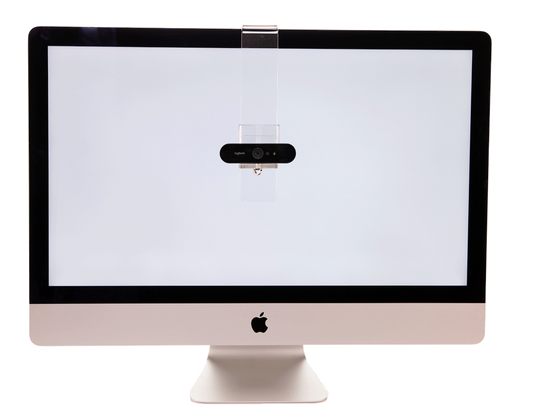
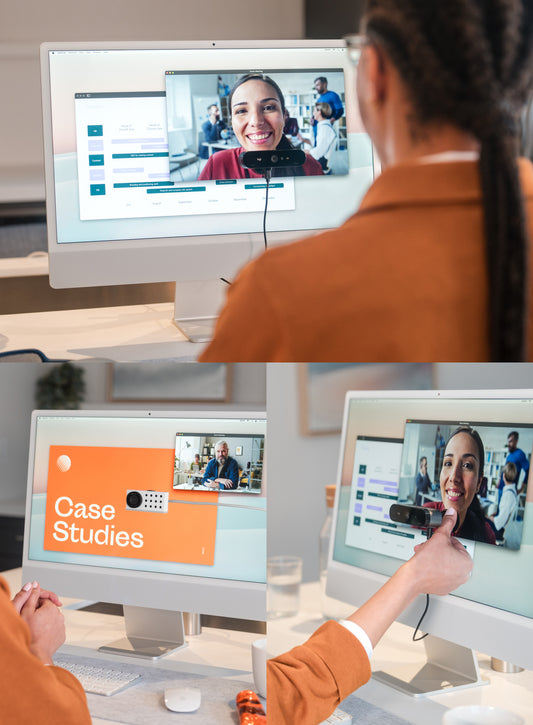
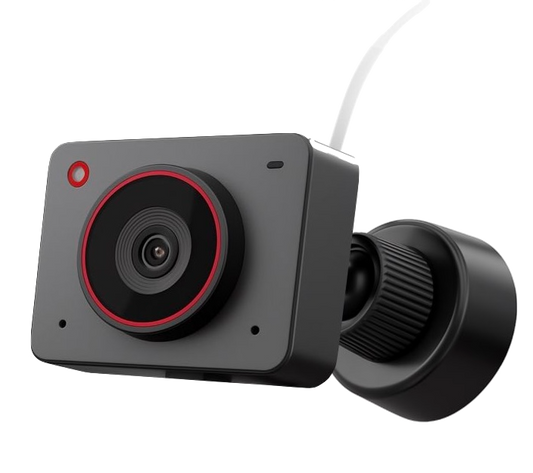
Solutions like PlexiCam Mag2 and PlexiCam Pro V2 are designed to address that limitation by positioning your webcam directly in front of your screen, closer to what you’re actually looking at.

In practice, that means:
- less visible eye movement
- more consistent eye contact
- a more natural presence on calls
It’s a small positional change, but it resolves the core limitation of standard setups.
The bottom line
The best webcam angle is at eye level, centered in front of you, with minimal tilt. Getting these right makes a noticeable difference in how you come across on video.