Frame It Right: The Overlooked Secret to Looking Your Best on Video Calls
Great lighting and a good webcam can't save a badly framed shot. Here's how to place yourself in the frame like a pro, starting with one simple rule: your eyes belong in the top third.

You bought the good webcam. You set up lighting Maybe you even cleaned the bookshelf behind you. And yet, when you catch yourself in the corner of the meeting window, something still looks off. You seem a little smaller than everyone else, a little farther away, a little less in charge of the conversation.
The culprit usually isn't your camera or your lighting. It's your framing. It is the most overlooked element of how we show up on video, and it is also the easiest to fix once you know what to look for.
Borrow a rule from filmmakers: the top third
Cinematographers, photographers, and TV news directors all work from the same simple guide called the rule of thirds. Picture your video frame divided by two horizontal lines and two vertical lines into nine equal boxes, like a tic-tac-toe board. The single most important thing you can do on camera is to place your eyes on, or very near, that top horizontal line.

Why there? Because that is where a viewer's gaze naturally lands. When your eyes sit on the top-third line, the person on the other end of the call doesn't have to search for you. The frame feels balanced, and you read as present, confident, and engaged.
Most people get this wrong in the same way. They sit low in the frame, with their eyes in the middle or even the bottom third of the picture and a large expanse of wall or ceiling stacked above their head. It is the video equivalent of slouching. Even if you are sitting up straight, a low frame makes you look as if you are sinking out of the conversation.
Keep your headroom to a sliver
The companion to the top-third rule is headroom, the space between the top of your head and the top of the frame. You want very little of it. A thin sliver is ideal. Too much headroom pushes you down in the frame and wastes the most valuable real estate on the screen. None at all, with the top of your head cropped off, can work in tight cinematic shots, but on a business call it tends to feel cramped. Aim for just enough space that your head isn't touching the edge.
Be the main figure, not the whole picture
The third element is size. You want to occupy enough of the frame that you are clearly the subject. Your head and the top of your shoulders should fill the picture, so that anyone glancing at the gallery view knows instantly who is speaking. When you are too small, the room becomes the subject: the lamp, the doorway, the pile of boxes in the corner.
But there is a limit. Get too close to the lens and you commandeer the entire frame, which creates a different problem. Webcams use wide-angle lenses, and wide-angle lenses exaggerate whatever is closest to them. Lean in and your nose and forehead grow while your ears and shoulders recede. The result looks less like a conversation and more like a security-camera still. A comfortable working distance of roughly an arm's length from the camera gives you presence without distortion.

Lighting matters, but framing comes first
None of this replaces good lighting. You still want soft, even light on your face, ideally from in front of you rather than behind. But lighting and framing do different jobs. Lighting makes you visible. Framing makes you look like you belong in the shot. Even a beautifully lit face looks wrong if it is floating in the bottom half of the frame under a wall of empty space.
Why most camera setups work against you
Here is the frustrating part. Good framing requires putting the camera in the right place and pointing it at the right angle. Most setups make that hard or impossible.
Built-in laptop and monitor cameras are fixed in place. Your framing is dictated by the tilt of the screen and the height of your desk, which is why so many laptop users end up looking up from the bottom of the frame, or showing the ceiling fan above them.
Webcams clipped on top of the monitor sit above your eye line. The camera looks down at you, and the natural result is exactly the mistake described above: you drift toward the bottom of the frame with too much headroom. Tilt the camera down to compensate and you get the unflattering top-down angle instead.
Middle-of-screen cameras with a fixed drop, such as devices like Center Cam or iContact camera, deserve credit for tackling eye contact by bringing the lens down onto the screen. But they hang from the top edge on a set length of arm or cable. The camera ends up where the device puts it, not where your face and your chair height need it to be. On a large monitor, a tall user, or a different desk, that fixed position can leave you with good eye contact and poor framing.
How the PlexiCam Mag2 puts you in control
The PlexiCam Mag2 was designed around a simple idea: you should decide where your camera goes, not your monitor.
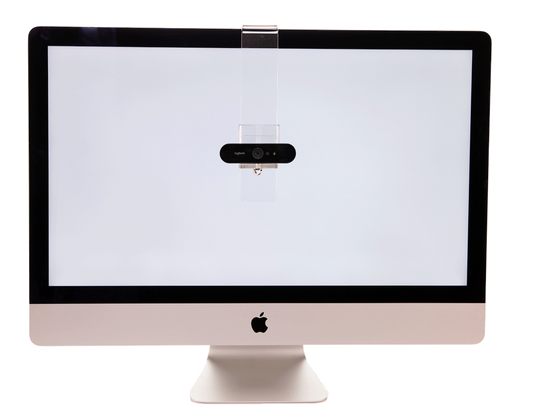
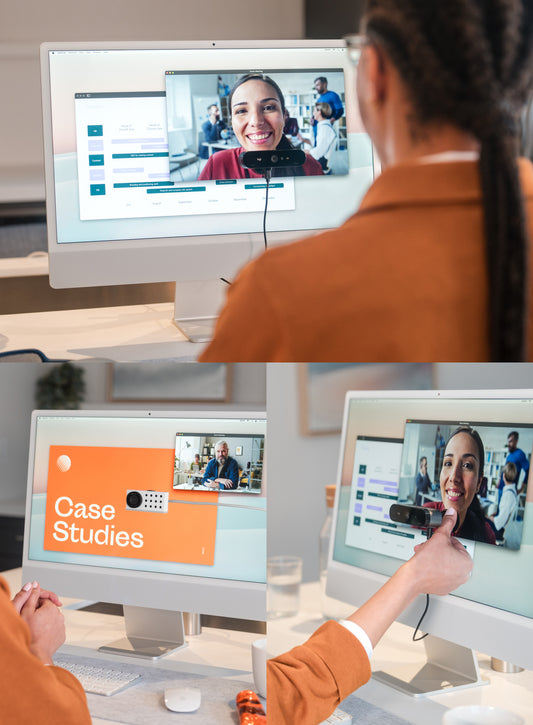
Mag2 attaches magnetically, directly to the face of your display, using a display-safe design that won't scratch or crack the screen. (For the small number of monitors without magnetic metal, a backplate is included.) Because it attaches to the screen itself rather than hanging from the bezel, you can place your webcam anywhere: higher or lower, left or right, or right over the window where your colleague's face appears. That lets you set your eye line precisely where it belongs.
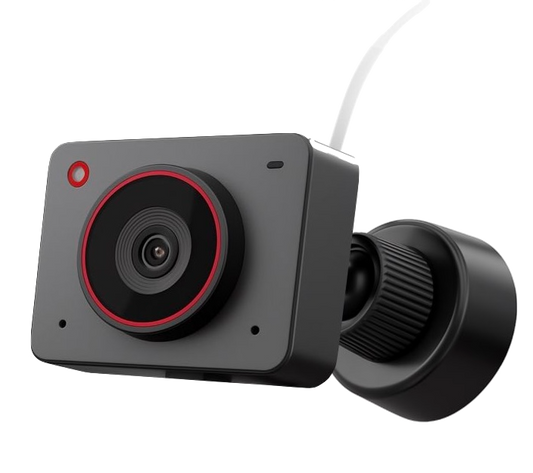
Then the articulating joint, with 90 degrees of freedom, lets you set the camera's angle independently of its position. Place the camera at eye level for natural eye contact, then tilt it until your eyes land on that top-third line with just a sliver of headroom above you. Eye line and framing, both dialed in, instead of trading one for the other.
Mag2 works with a wide range of premium USB-C webcams, including models from Logitech, Insta360, OBSBOT, Opal, Lumina, and Razer, so you can keep the camera you already love and finally put it where it should be.
A 60-second framing check before your next call
- Open your camera preview and imagine the tic-tac-toe grid over the image.
- Find your eyes. They should sit on the top horizontal line, not in the middle.
- Check your headroom. Leave just a sliver of space above your head.
- Check your size. Head and top of shoulders should fill the frame. If the room is more visible than you are, move closer or raise the camera's zoom. If your face fills the whole screen, sit back to about an arm's length.
- Adjust the camera, not your posture. Move the camera to eye level and angle it until the framing is right, rather than slouching or craning to fit a fixed lens.
Framing is the quiet foundation of looking your best on video. Get it right and everything else, from your lighting to your background to your message, works harder for you. Get it wrong and no amount of expensive gear will fully compensate. The good news is that with the right mount, getting it right takes about a minute.